If your Haas machine has a full 4th axis you can use the standard control system function called G107 Cylindrical Mappingto translate linear axis move into a rotary axis move and essentially ‘wrap’ the programmed path onto the surface of the cylinder or rotary part and this includes the Haas engraving functionG47.
G107 (CYLINDRICAL MAPPING) translates all programmed motion occurring in a specified linear axis into the equivalent motion along the surface of a cylinder (attached to a rotary axis). Its default operation is subject to Setting 56(M30 RESTORE DEFAULT G). The G107 command is used to either activate or deactivate cylindrical mapping. Remember to turn it off at the end of the program, unless you want to keep using it.
Any linear-axis program can be cylindrically mapped to any rotary axis (one at a time).
An existing linear-axis G-code program can be cylindrically mapped without modification by inserting a G107 command at the beginning of the program.
The radius (or diameter) of the cylindrical surface can be redefined, allowing cylindrical mapping to occur along surfaces of different diameters without having to change the program.
The radius (or diameter) of the cylindrical surface can either be synchronized with or be independent of the rotary axis diameter(s) specified in the Settings page.
For Example: When a rotary fits with alternative fixturing, it may fit in that particular Haas mill, but will require a sub-plate or alternate T-slot for proper positioning. We have labeled this particular rotary and mill combination with a yellow caution
You can design and build your own sub-plate using the dimensions of your Haas mill and the dimensions of the rotary you'd like to use on that mill. Product dimensions are available for every machine and rotary on this website.
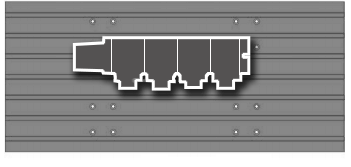
Single-Head Rotary Tables and Indexers are usually mounted to the right side of the table, with the rotary facing the centre of the machine. This is the basic setup we used to determine the fit of your rotary product.
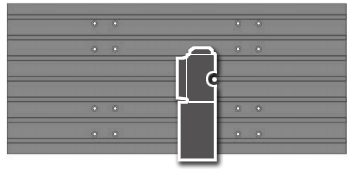
Image shown for mounting example purposes only. Your actual rotary and mill appearance may differ.

Trunnion Tables, T5Cs, and TRTs are usually mounted in the centre (or slightly off-centre) of the mill table. If you are using probing on the mill, be aware of the interference with larger tools, especially during tool changes.
NOTE: Trunnion units present interference issues with the swing of the unit relative to the machine column and spindle head.

Image shown for mounting example purposes only. Your actual rotary and mill appearance may differ.

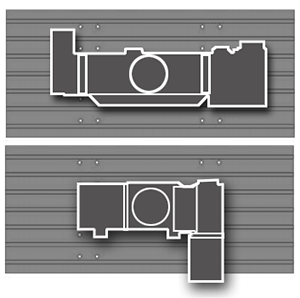
Multi-Head Rotary Tables and Indexers are usually mounted toward the back of the table, with the indexer heads or platter facing forward. To mount a multi-head rotary in a different orientation, you must use alternative fixturing.

Image shown for mounting example purposes only. Your actual rotary and mill appearance may differ.
Important Information:
4-axis machines cannot use dual-axis rotaries.
Some options may affect mounting (EC-1600 4th-Axis Table, Low-Profile Tables, Table Spacers, Column Risers, etc.
Tool Changers: SMTCs and umbrella tool changers both present interference issues, plan appropriately.